Build a Football AI Chatbot: Give Claude and GPT Live Match Data
LLMs can’t give live scores on their own. Build a football AI chatbot that answers with real match data — two ways with GOAL API: a no-code MCP server, or Python function calling.


GOAL API
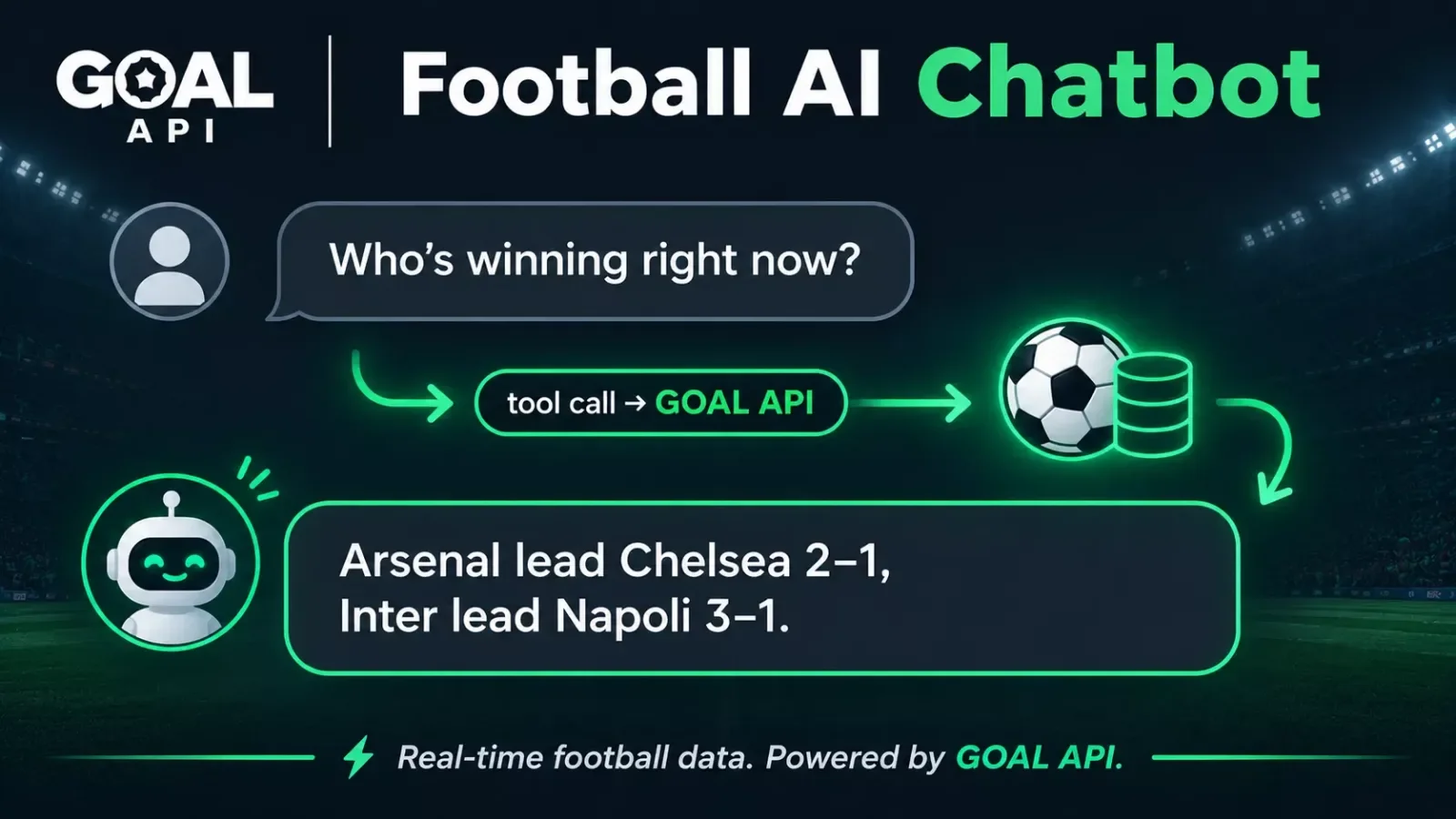
Ask ChatGPT or Claude "who's winning the Arsenal game?" and it can't tell you — a language model is frozen at its training cut-off and has no idea what's happening on the pitch right now. To build a football AI chatbot that answers with real, current data, you give the model a tool it can call for live scores, standings and results. This guide shows two ways to do it: a no-code route with a hosted MCP server, and a custom chatbot in Python using function calling. Both run on GOAL API.
Why a football AI chatbot needs a data tool
LLMs are brilliant at language and useless at live facts. They don't know today's score, this week's table or who just scored — that data didn't exist when they were trained. The fix is tool use (also called function calling): you describe a function the model can call, the model decides when to call it, your code fetches live data from a football API, and the model answers in plain language. The intelligence comes from the model; the facts come from GOAL API.
Option 1: Connect the hosted MCP server (no code)
The fastest path needs no code at all. GOAL API runs a hosted MCP server, so any MCP-capable client — such as Claude Desktop or Claude Code — can call live football data directly. Add this to your client's MCP config:
{
  "mcpServers": {
    "goal-api": {
      "url": "https://mcp.goal-api.com/mcp",
      "headers": {
        "Authorization": "Bearer YOUR_GOAL_API_KEY"
      }
    }
  }
}
Swap in your GOAL API key — the same key used for the REST API — and restart the client. Now you can ask "What's the Premier League table?" or "Any live matches right now?" and the assistant pulls the answer through tools like get_live_matches, get_standings, get_fixtures, get_top_scorers and get_head_to_head. Tools take team and competition names, not IDs, so plain questions just work. There's more on this in the Football MCP Server guide.
Option 2: Build a custom chatbot with function calling
For your own app — a Telegram bot, a web widget, a support assistant — you'll want control over the model and the tools. The pattern is the same across providers; here it is in Python with Claude and the GOAL API Python SDK:
import os, anthropic
from goal_api import GoalAPI

goal = GoalAPI(os.environ["GOAL_API_KEY"])
client = anthropic.Anthropic()
MODEL = "claude-sonnet-4-5"  # replace with your current model

# 1. Describe the tool to the model
tools = [{
    "name": "get_live_matches",
    "description": "Get all football matches in play right now, with teams and live scores.",
    "input_schema": {"type": "object", "properties": {}},
}]

# 2. The actual function that hits GOAL API
def get_live_matches():
    return [
        f'{m["homeTeam"]["name"]} {m["homeScore"]}-{m["awayScore"]} {m["awayTeam"]["name"]}'
        for m in goal.fixtures.live()["data"]
    ]

# 3. Ask a question
messages = [{"role": "user", "content": "Who's winning right now?"}]
resp = client.messages.create(model=MODEL, max_tokens=1024, tools=tools, messages=messages)

# 4. If the model asked for the tool, run it and send the result back
if resp.stop_reason == "tool_use":
    call = next(b for b in resp.content if b.type == "tool_use")
    result = get_live_matches()
    messages += [
        {"role": "assistant", "content": resp.content},
        {"role": "user", "content": [{
            "type": "tool_result",
            "tool_use_id": call.id,
            "content": str(result),
        }]},
    ]
    resp = client.messages.create(model=MODEL, max_tokens=1024, tools=tools, messages=messages)

print(resp.content[0].text)
The model sees the question, decides it needs live data, calls get_live_matches, and turns the raw scores into a natural answer like "Arsenal are up 2–1 against Chelsea, and Inter lead Napoli 3–1." The flow is identical with OpenAI's SDK — define the function, let the model call it, return the result.
Add more tools the same way — a get_standings(league) that calls goal.leagues.standings(), a get_top_scorers(league) — and the model will pick the right one for each question.
What your bot can answer
Once it's wired up, your chatbot handles the questions fans actually ask: live scores and who's playing, league tables and a team's position, recent results, top scorers, and head-to-head history — across 1,000+ competitions and 184 countries. Because the data is fetched live per question, the answers are current, not frozen.
Ship it
From here it's just plumbing: put the function-calling loop behind a Telegram or Discord handler, or a web endpoint, and you have a football assistant your users can talk to. If you're new to the data layer, start with How to Get Football Data in Python, then grab a free key — the free tier runs the full flow before you pay.
FAQ
Can ChatGPT or Claude give live football scores on their own? No. LLMs are frozen at their training date and have no live data. To answer current questions they need a tool — a function or MCP server — that fetches live scores from a football API like GOAL API.
What's the easiest way to build a football AI chatbot? Connect GOAL API's hosted MCP server to an MCP-capable client like Claude Desktop — add one config block with your API key and ask questions, no code required.
How does function calling work with a football API? You describe a function (e.g. "get live matches") to the model. When a question needs live data, the model calls it, your code fetches from GOAL API, and the model answers in natural language using the result.
Is it free to build? GOAL API's free tier, with no credit card, runs the full tool-calling flow. You'll also need access to an LLM provider (Claude or OpenAI) for the model itself.