How to Get Football Data in Python: Live Scores, Standings & Fixtures
A practical guide to pulling live football scores, league standings and fixtures in Python with GOAL API — using the official SDK, plain requests and async, with runnable code.


GOAL API
Python is where most football data work happens — dashboards, bots, analysis notebooks, side projects. This guide shows how to pull live scores, league standings and fixtures in Python with GOAL API, using the official SDK, with plain requests and async versions too. Every snippet below runs against real endpoints, so you can get football data in Python working in minutes.
Get a free API key
Create a free GOAL API key — no credit card required. The free tier uses the same endpoints as the paid plans, so everything here works on it. Keep your key in an environment variable rather than hard-coding it:
export GOAL_API_KEY="your_key_here"Install the Python SDK
The official SDK supports Python 3.9+ with both sync and async clients:
pip install goal-apiimport os
from goal_api import GoalAPI
goal = GoalAPI(os.environ["GOAL_API_KEY"])Pull live football scores
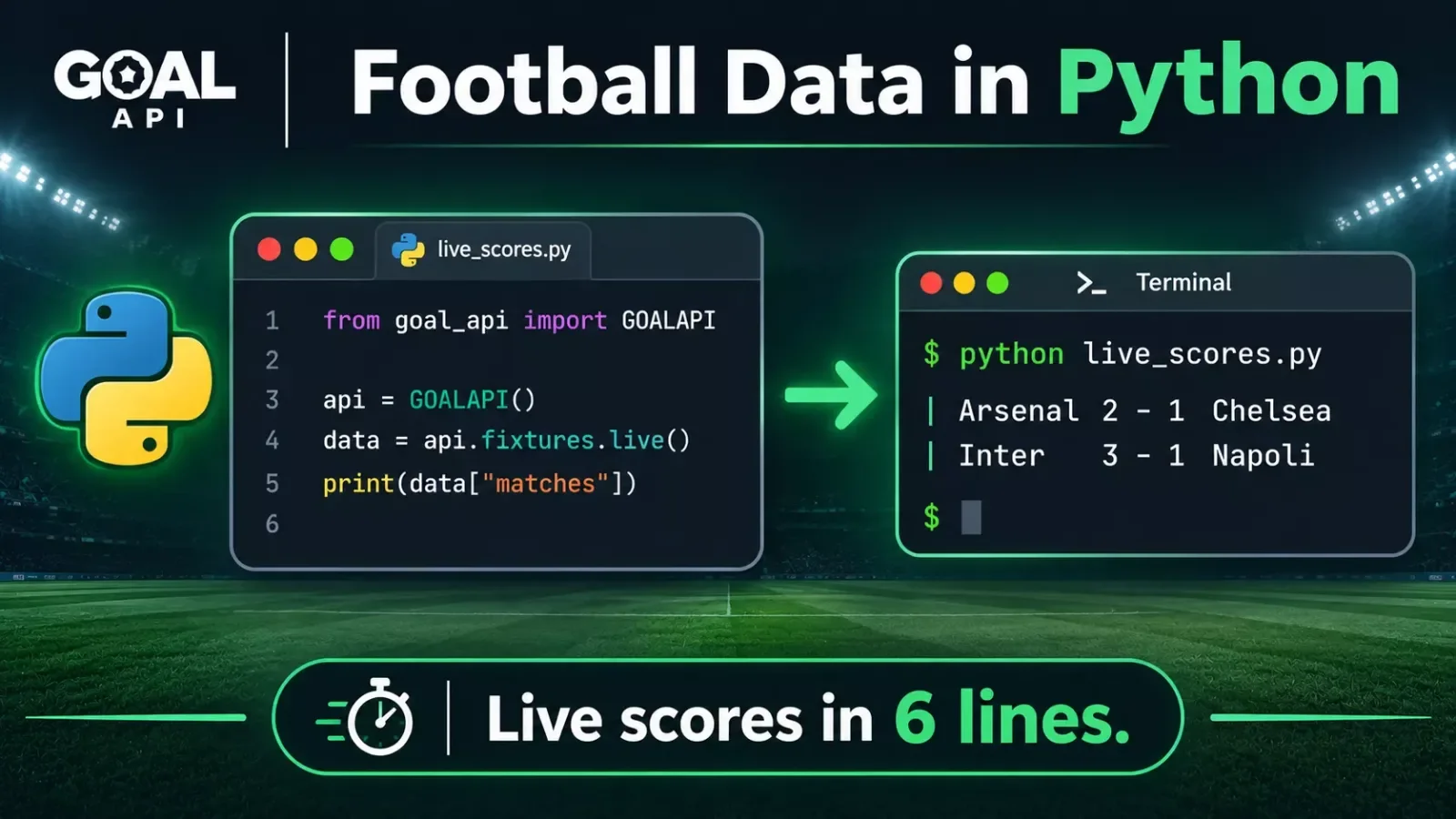
fixtures.live() returns every match in play right now:
for match in goal.fixtures.live()["data"]:
    print(
        match["homeTeam"]["name"],
        match["homeScore"], "-", match["awayScore"],
        match["awayTeam"]["name"],
)Arsenal 2 - 1 Chelsea
Barcelona 0 - 0 Sevilla
Inter 3 - 1 NapoliThat's live football data across 1,000+ competitions in six lines.
Get a league table
Pass a league ID to leagues.standings(). Using a context manager closes the connection pool cleanly when you're done:
with GoalAPI(os.environ["GOAL_API_KEY"]) as goal:
    table = goal.leagues.standings(league_id)["data"]
    for row in table:
        print(row["position"], row["team"]["name"], row["points"])
Fixtures by date
Fetch a day's schedule, optionally filtered to one league:
fixtures = goal.fixtures.by_date("2026-08-15", leagueId=league_id)["data"]Teams, squads and head-to-head follow the same pattern — goal.teams.get(team_id, includePlayers=True), goal.teams.list(leagueId=league_id, limit=50), and so on. The full method list is in the docs.
Prefer plain requests?
You don't need the SDK. Every endpoint is a REST call with a Bearer token, so requests works just as well:
import os, requests

resp = requests.get(
    "https://api.goal-api.com/v1/fixtures/live",
    headers={"Authorization": f"Bearer {os.environ['GOAL_API_KEY']}"},
    timeout=10,
)
resp.raise_for_status()
for match in resp.json()["data"]:
    print(match["homeTeam"]["name"], match["homeScore"], "-", match["awayScore"], match["awayTeam"]["name"])
The base URL is https://api.goal-api.com/v1, and every response includes rate-limit headers so you can back off cleanly.
Go faster with async
For dashboards that fetch several things at once, the async client runs calls concurrently:
import asyncio
from goal_api import AsyncGoalAPI

async def main():
    async with AsyncGoalAPI(os.environ["GOAL_API_KEY"]) as goal:
        live, results = await asyncio.gather(
            goal.fixtures.live(),
            goal.results.today(),
        )
        print(len(live["data"]), "in play,", len(results["data"]), "finished today")

asyncio.run(main())
Real-time: push, don't poll
Polling fixtures.live() on a loop works, but for a live app you want goals pushed the instant they happen. GOAL API offers a WebSocket: request a short-lived token, connect, and subscribe to specific matches to receive goals, cards and substitutions in real time — no polling, no missed moments. It's the right tool for live-score apps and alert bots.
What you can build with football data in Python
With live scores, standings and fixtures in a few lines of Python, you can build a lot:
- A live-score dashboard or Discord/Telegram alert bot
- A weekly standings report or data-analysis notebook
- A football AI chatbot that answers questions with real match data — see Build a Football AI Chatbot
- Prefer PHP? The same walkthrough exists for getting football data in PHP
Grab a free key and you're pulling live football data in Python in minutes.
FAQ
Is there an official Python football API SDK?
Yes. GOAL API ships an official Python SDK — pip install goal-api — with sync and async clients for Python 3.9+. You can also call the REST API directly with requests.
How do I get live football scores in Python?
Install goal-api, initialize the client with your API key, and call goal.fixtures.live(). Each match includes team names and the current score. A free key covers it.
Do I need the SDK, or can I use requests?
Either works. The SDK handles auth, retries and pagination for you; requests against https://api.goal-api.com/v1 gives you full control. Both use the same Bearer API key.
How do I get real-time updates instead of polling? Use the WebSocket: request a short-lived token, connect, and subscribe to matches to receive goals, cards and substitutions the moment they happen.