I Pulled Live Football Scores, Standings & Head-to-Head Stats in Python in Under 10 Minutes
Learn how to fetch live football scores, standings, player stats, and head-to-head data in Python using GOAL API. Copy-paste code, real endpoints, zero fluff.


GOAL API
In this tutorial you'll make real HTTP calls to GOAL API — a football data API with live scores, standings, player stats, head-to-head records, and match events across 1,000+ leagues — using nothing but Python's requests library. By the end you'll have working code for six of the most useful endpoints developers actually build on.
No wrapper magic. No guessing. Every endpoint in this post is pulled directly from the GOAL API documentation.
Get your free API key first (no credit card required): goal-api.com/signup
How to Set Up
Install requests if you haven't already:
pip install requestsSet your API key as an environment variable — never hardcode it:
export GOAL_API_KEY="your_api_key_here"Create a base client you'll reuse throughout all examples:
import os
import requests

BASE_URL = "https://api.goal-api.com/v1"
API_KEY  = os.environ["GOAL_API_KEY"]

HEADERS = {
    "Authorization": f"Bearer {API_KEY}",
    "Content-Type": "application/json"
}

def get(path, params=None):
    response = requests.get(f"{BASE_URL}{path}", headers=HEADERS, params=params)
    response.raise_for_status()
    return response.json()["data"]
Every response from GOAL API follows the same envelope — success flag, a data payload, and on list endpoints, pagination. So response.json()["data"] is always where your payload lives.
1. Get Live Football Scores Right Now
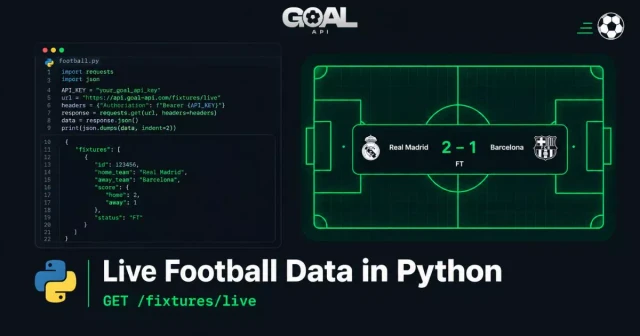
The single most popular use case. The endpoint /fixtures/live returns every match currently in play across all covered leagues.
def get_live_scores():
    matches = get("/fixtures/live")
    for match in matches:
        home    = match["homeTeam"]["name"]
        away    = match["awayTeam"]["name"]
        h_score = match["homeTeamScore"]
        a_score = match["awayTeamScore"]
        minute  = match.get("matchMinute") or "?"
        league  = match["league"]["name"]
        print(f"[{league}] {home} {h_score}–{a_score} {away} ({minute}')")

get_live_scores()
Sample output:
[La Liga] Real Madrid 2–1 Barcelona (74')
[Premier League] Arsenal 0–0 Chelsea (32')
[Champions League] PSG 1–0 Bayern (89')
Endpoint: GET /fixtures/live
This is a REST snapshot. For push updates the moment a goal is scored — without polling — that's what the WebSocket connection is for. For dashboards refreshing every 30–60 seconds, polling this endpoint is the right call.
2. Fetch Fixtures by Date
Building a match schedule? This endpoint gives you every fixture on a specific date across all leagues.
def get_fixtures_by_date(date: str):
    # date format: YYYY-MM-DD
    fixtures = get(f"/fixtures/date/{date}")
    for match in fixtures:
        home    = match["homeTeam"]["name"]
        away    = match["awayTeam"]["name"]
        kickoff = match["kickoffUtc"]   # Always UTC
        league  = match["league"]["name"]
        status  = match["matchStatus"]
        print(f"[{league}] {home} vs {away} | {kickoff} | {status}")

get_fixtures_by_date("2026-09-15")
Endpoint: GET /fixtures/date/:date
Always build on kickoffUtc — it's a proper ISO-8601 timestamp in UTC and never shifts for daylight saving. Use Python's datetime with zoneinfo to display it in your user's local timezone.
from datetime import datetime
import zoneinfo

utc = datetime.fromisoformat("2026-09-15T20:00:00.000Z".replace("Z", "+00:00"))
local = utc.astimezone(zoneinfo.ZoneInfo("Europe/London"))
print(local.strftime("%H:%M %Z"))  # 21:00 BST
3. League Standings
For any app showing a league table — whether Premier League, La Liga, or a local cup.
def get_standings(league_id: str):
    table = get(f"/standings/{league_id}")
    print(f"{'Pos':<5}{'Team':<30}{'P':<5}{'W':<5}{'D':<5}{'L':<5}{'GD':<8}{'Pts'}")
    print("-" * 70)
    for row in table:
        goal_difference = int(row["overallLeagueGF"]) - int(row["overallLeagueGA"])
        print(
            f"{row['overallLeaguePosition']:<5}"
            f"{row['team']['name']:<30}"
            f"{row['overallLeaguePlayed']:<5}"
            f"{row['overallLeagueW']:<5}"
            f"{row['overallLeagueD']:<5}"
            f"{row['overallLeagueL']:<5}"
            f"{goal_difference:<8}"
            f"{row['overallLeaguePTS']}"
        )

# Don't know the league ID? Find it:
def find_league_id(name: str):
    leagues = get("/leagues", params={"search": name})
    return [(l["id"], l["name"], l["country"]["name"]) for l in leagues]

find_league_id("premier league")               # returns ID, name, country
get_standings("cmr77dvkr005nrx06lp7rvp49")     # Example: Premier League
Endpoints: GET /standings/:leagueId | GET /leagues
The coverage page lists every league with its ID and exactly what data is held for it — standings, fixtures, top scorers, lineups — before you write a line of code.
4. Head-to-Head Records Between Two Teams
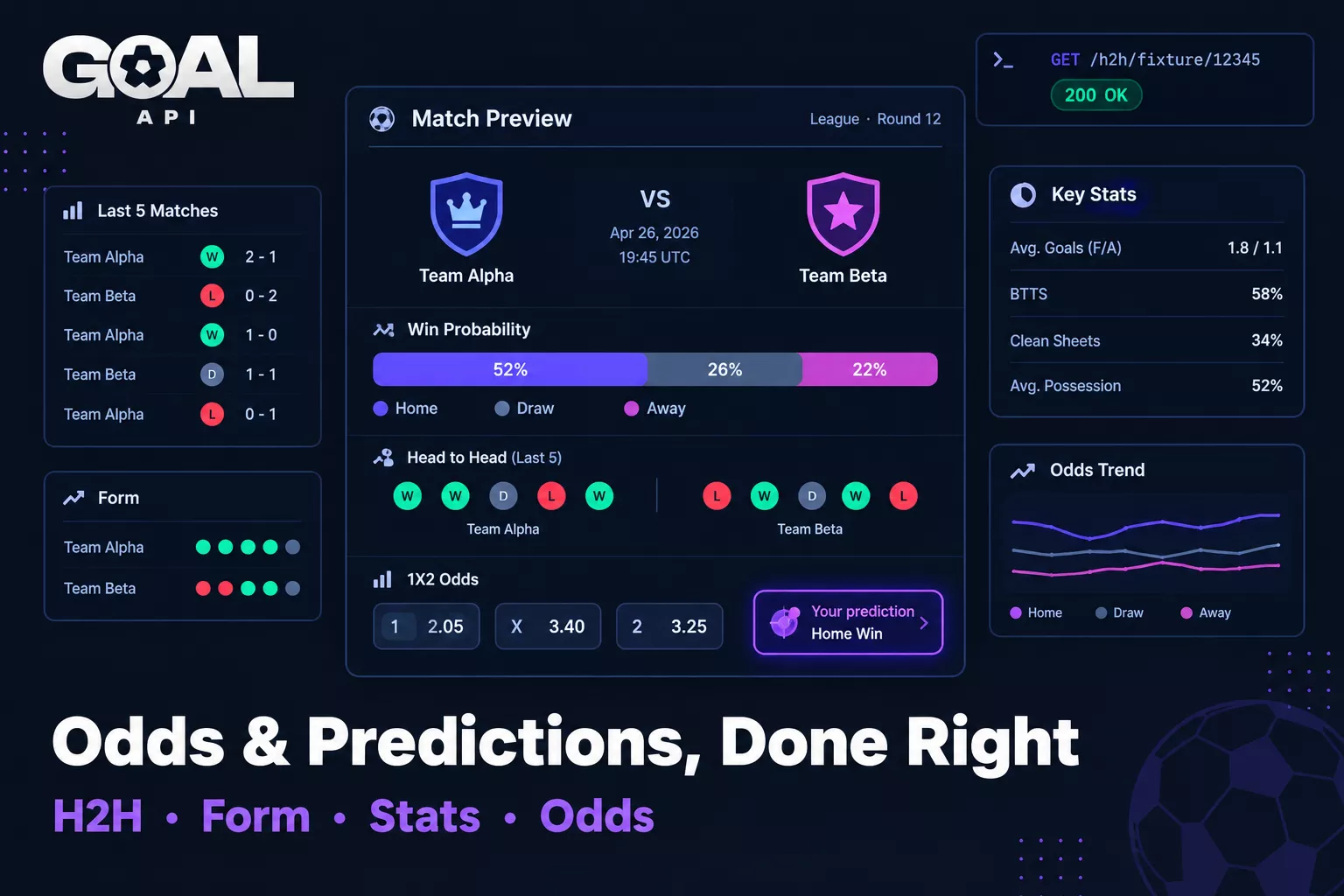
One of the most underused endpoints and one of the most valuable. Given two team IDs, you get their full historical head-to-head record — perfect for match preview generators and betting research tools.
def get_head_to_head(team1_id: str, team2_id: str):
    # Summary
    summary = get(f"/h2h/{team1_id}/{team2_id}")
    print(f"{summary['team1Name']} vs {summary['team2Name']}")

    # Last 5 direct matches
    history = get(f"/h2h/{team1_id}/{team2_id}/direct")["matches"]
    print("\nLast 5 matches:")
    for match in history[:5]:
        date  = match["match_date"]
        home  = match["match_hometeam_name"]
        away  = match["match_awayteam_name"]
        score = f"{match['match_hometeam_score']}–{match['match_awayteam_score']}"
        print(f"  {date}: {home} {score} {away}")

    # Aggregate stats
    stats = get(f"/h2h/{team1_id}/{team2_id}/stats")["headToHead"]
    print(f"\nTotal meetings:  {stats['totalMatches']}")
    print(f"Team 1 wins:     {stats['team1Wins']}")
    print(f"Team 2 wins:     {stats['team2Wins']}")
    print(f"Draws:           {stats['draws']}")
    print(f"Avg goals/game:  {stats['averageGoals']}")

# Man United vs Man City
get_head_to_head("cmr7fp1wp2n8yrx061vxmb1a5", "cmr7fpx0e2ybgrx06dajtxqc1")
Endpoints used:
GET /h2h/:team1Id/:team2Id— summaryGET /h2h/:team1Id/:team2Id/direct— match historyGET /h2h/:team1Id/:team2Id/stats— aggregated stats
Three endpoint calls, a complete pre-match briefing. This is the backbone of any match preview feature or betting research tool.
5. Match Events: Goals, Cards, Substitutions
Once you have a fixture ID (from /fixtures/live or /fixtures/date/:date), pull the full event timeline for that match.
def get_match_events(fixture_id: str):
    for event in get(f"/fixtures/{fixture_id}/events"):
        minute = event.get("time", "?")
        player = event.get("homeScorer") or event.get("awayScorer") or "Unknown"
        team   = "home" if event.get("homeScorer") else "away"
        print(f"⚽ {minute}' GOAL — {player} ({team}) {event.get('score', '')}")

    for card in get(f"/fixtures/{fixture_id}/cards"):
        minute = card.get("time", "?")
        color  = card.get("card", "yellow card")
        player = card.get("homeFault") or card.get("awayFault") or "Unknown"
        team   = "home" if card.get("homeFault") else "away"
        icon   = "🟥" if "red" in color else "🟨"
        print(f"{icon} {minute}' CARD ({color}) — {player} ({team})")

    for sub in get(f"/fixtures/{fixture_id}/substitutions"):
        minute  = sub.get("time", "?")
        players = sub.get("substitution", "?")   # "player off | player on"
        team    = sub.get("team", "")
        print(f"🔄 {minute}' SUB — {players} ({team})")

# Pull only cards or only substitutions:
cards         = get(f"/fixtures/{fixture_id}/cards")
substitutions = get(f"/fixtures/{fixture_id}/substitutions")
Endpoints: GET /fixtures/:id/events | GET /fixtures/:id/cards | GET /fixtures/:id/substitutions
6. Handling Rate Limits Like a Pro
Every GOAL API response includes three headers that tell you exactly where you stand:
| Header | What it tells you |
|---|---|
| X-RateLimit-Limit | Your total daily request allowance |
| X-RateLimit-Remaining | Requests left before quota resets |
| X-RateLimit-Reset | Unix timestamp when the quota resets |
| X-RateLimit-Type | Window type — DAILY on all current plans |
import requests

def get_with_limit_check(path, params=None):
    response = requests.get(f"{BASE_URL}{path}", headers=HEADERS, params=params)

    remaining = response.headers.get("X-RateLimit-Remaining")
    limit     = response.headers.get("X-RateLimit-Limit")
    reset     = response.headers.get("X-RateLimit-Reset")

    print(f"Quota: {remaining}/{limit} remaining | Resets: {reset}")

    if response.status_code == 429:
        error_code = response.json().get("code", "")
        if error_code == "BURST_LIMIT_EXCEEDED":
            print("Burst limit — back off 1s")
        else:
            print("Daily quota hit — wait for reset")
        return None

    response.raise_for_status()
    return response.json()["data"]
The documentation explains the two-axis limit system: a per-second burst ceiling (130/s) and a daily quota. The headers report your daily quota. If you're building something that tracks many live matches simultaneously, the pricing page breaks down the daily allowances per plan — and the blog post on API transport choices does the request math on why webhooks or WebSockets cost a fraction of polling for live data.
Putting It Together: A Simple Match Dashboard
Here's a minimal script that fetches all live matches and shows the last event for each:
import os, requests

BASE_URL = "https://api.goal-api.com/v1"
HEADERS  = {"Authorization": f"Bearer {os.environ['GOAL_API_KEY']}"}

def get(path):
    r = requests.get(f"{BASE_URL}{path}", headers=HEADERS)
    r.raise_for_status()
    return r.json()["data"]

def dashboard():
    matches = get("/fixtures/live")
    if not matches:
        print("No live matches right now.")
        return

    for m in matches:
        fid    = m["id"]
        home   = m["homeTeam"]["name"]
        away   = m["awayTeam"]["name"]
        score  = f"{m['homeTeamScore']}–{m['awayTeamScore']}"
        minute = m.get("matchMinute") or "FT"
        league = m["league"]["name"]

        print(f"\n[{league}] {home} {score} {away} — {minute}'")

        try:
            events = get(f"/fixtures/{fid}/events")
            if events:
                last   = events[-1]
                player = last.get("homeScorer") or last.get("awayScorer") or "?"
                print(f"  Last: {last['type']} — {player} ({last.get('time', '?')}')")
        except Exception:
            pass

dashboard()
What to Build Next
Live score widget — poll /fixtures/live every 30s, or switch to the WebSocket for instant push updates. The blog post comparing polling vs WebSocket vs webhooks does the request math on a busy Saturday.
Match preview page — combine /h2h/:team1Id/:team2Id/stats + /fixtures/:id/predictions + /fixtures/:id/odds.
Fantasy football tool — /players/:id/statistics + /leagues/:id/top-scorers.
Goal notification bot — register a webhook endpoint so goal.scored events POST to your server the second they happen. No polling required. See the webhook signature verification guide before you ship.
Official Python SDK — pip install goal-api wraps all of this with retries, pagination, typed errors, and async support. The raw HTTP approach above is identical in structure — the SDK is just the production-ready version with edge cases handled.
Start building free → goal-api.com/signup | No credit card | Same endpoints as every paid plan