Build a Fixtures & Standings Page for Any Football Competition
Build a fixtures and standings page for any league or tournament with GOAL API. Find the competition, list fixtures by date, and render a live league table.


GOAL API
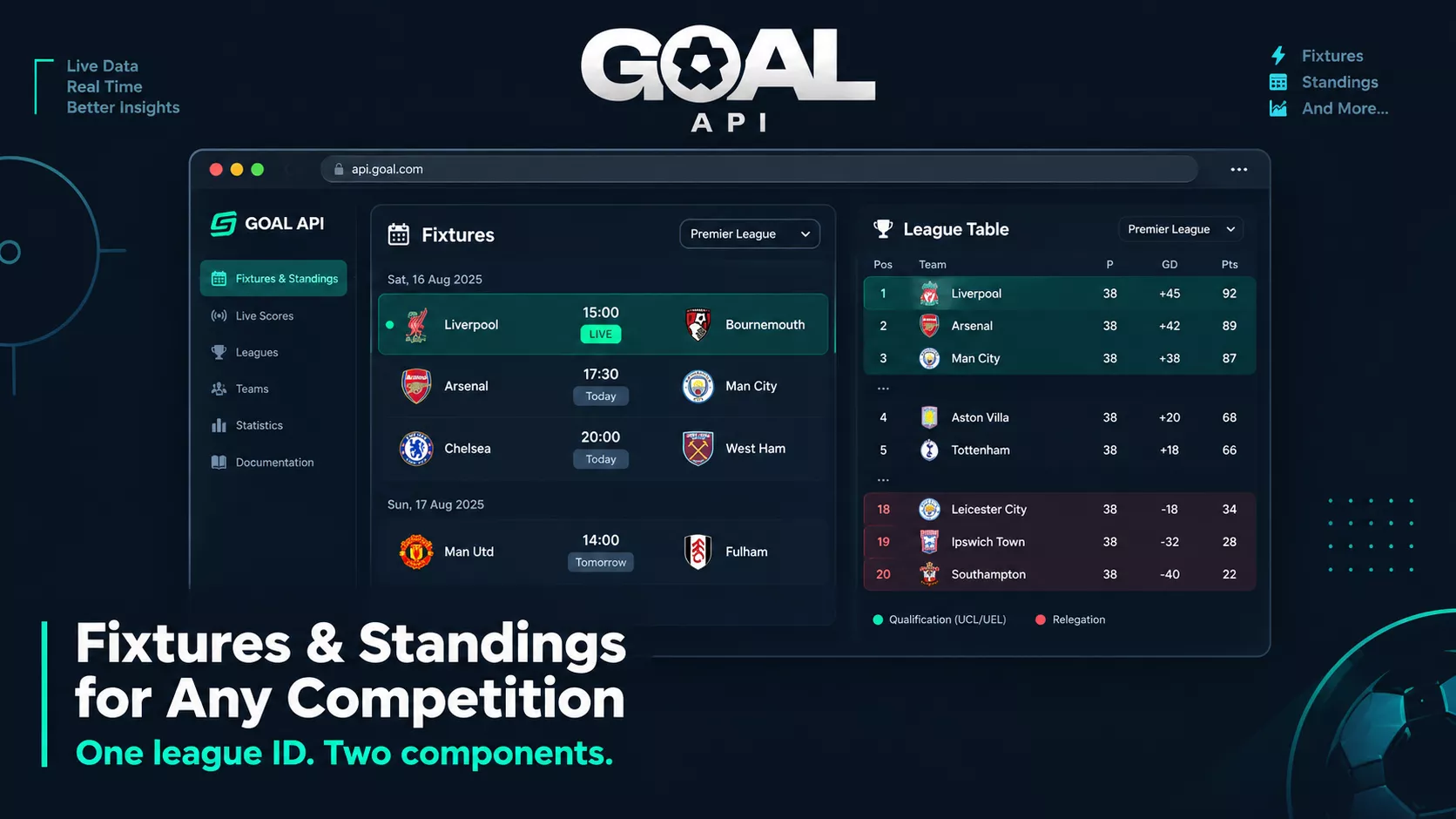
A fixtures list and a league table are the backbone of almost every football product. Whether you're building a fan site for a domestic league, a tracker for an upcoming tournament, or the schedule view inside a bigger app, it starts the same way: find the competition, list its fixtures, and render its table.
This tutorial builds exactly that with GOAL API, using generic competition endpoints so the same code works for any league or tournament you have access to. No competition-specific logic — you pass a league ID, you get fixtures and a table.
Get your free API key to follow along: goal-api.com/signup
Building Fixtures & League Table
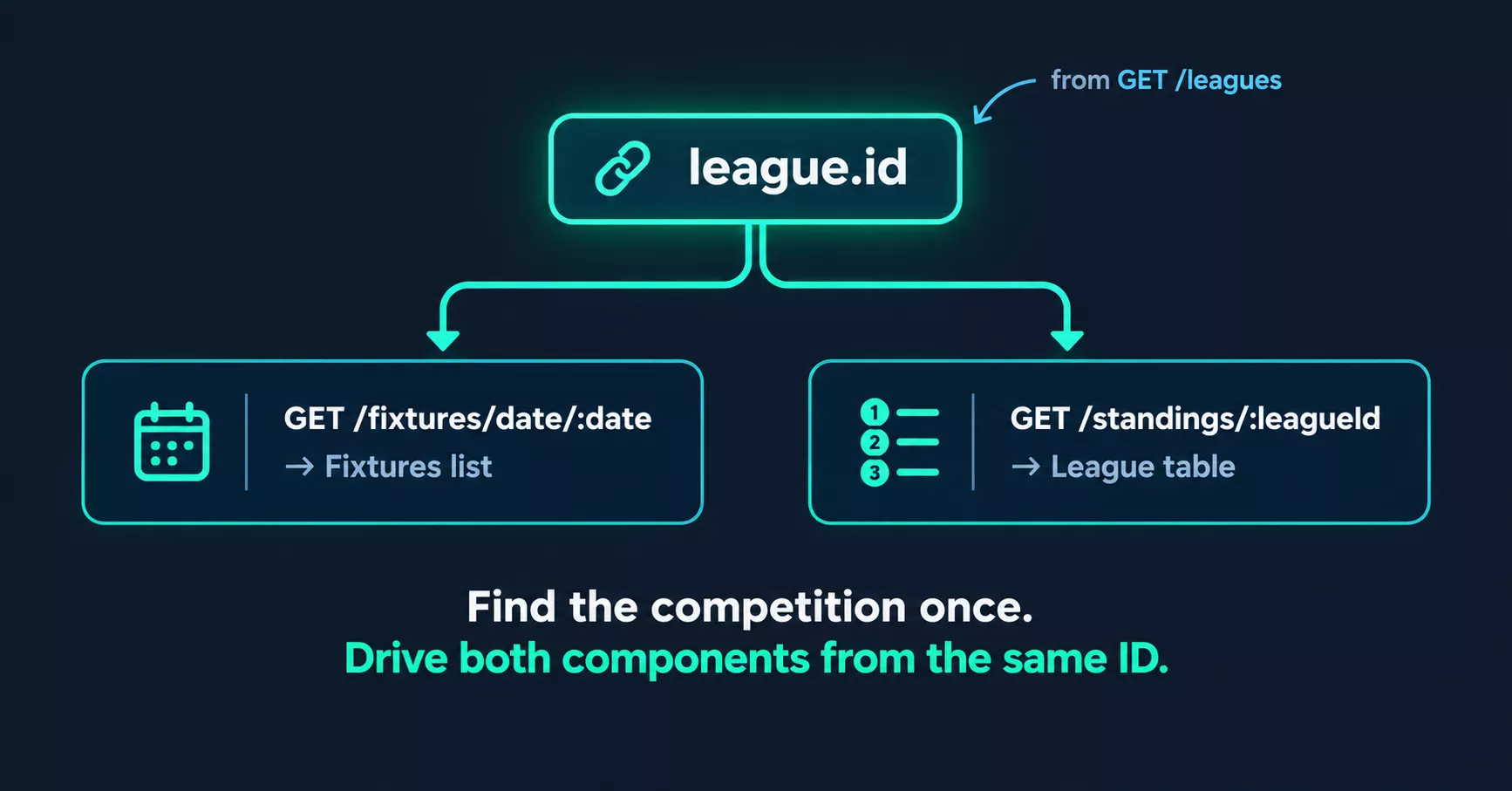
Two components sharing one competition ID:
A fixtures list — matches for a date or date range, with kickoff times, teams, and status
A standings table — position, played, won/drawn/lost, goal difference, and points
Both are driven by the competition's league ID, so step one is always: find that ID.
Step 1: Find the Competition
Every competition GOAL API covers has a league ID. Search the list and match on name or country. Which competitions are available — and what data each holds — is on the coverage page
async function findLeague(name) {
  const res = await fetch(
    `https://api.goal-api.com/v1/leagues?search=${encodeURIComponent(name)}`,
    { headers: { Authorization: `Bearer ${process.env.GOAL_API_KEY}` } }
  );
  const { data } = await res.json();
  return data; // matches across every country, most popular first
}

const [league] = await findLeague('premier league'); // England's comes first
console.log(league.id, league.name, league.country?.name);
Endpoint: GET /leagues?search=
Cache the ID — it's stable, so you don't need to look it up on every request.
Step 2: List Fixtures by Date
Fixtures are returned by date. For a schedule view, fetch a date and filter to your competition with the leagueId parameter.
async function getFixtures(date, leagueId) {
  // Filter on the server: a busy date has over a thousand fixtures,
  // returned 50 per page, so filtering the first page misses most of them.
  const res = await fetch(
    `https://api.goal-api.com/v1/fixtures/date/${date}?leagueId=${leagueId}&limit=100`,
    { headers: { Authorization: `Bearer ${process.env.GOAL_API_KEY}` } }
  );
  const { data } = await res.json();
  return data;
}

const fixtures = await getFixtures('2026-09-20', league.id);
for (const m of fixtures) {
  const kickoff = new Date(m.kickoffUtc).toLocaleString();
  console.log(`${kickoff}  ${m.homeTeam.name} vs ${m.awayTeam.name}  [${m.matchStatus}]`);
}
Endpoint: GET /fixtures/date/:date?leagueId=
Build on kickoffUtc — it's ISO-8601 in UTC. Convert to the viewer's timezone client-side. Each fixture's id links to its match page; the build a match page tutorial shows what to render there.
Step 3: Render the League Table
The standings endpoint returns the table already ordered. Render the columns fans expect.
async function getStandings(leagueId) {
  const res = await fetch(
    `https://api.goal-api.com/v1/standings/${leagueId}`,
    { headers: { Authorization: `Bearer ${process.env.GOAL_API_KEY}` } }
  );
  return (await res.json()).data;
}

const table = await getStandings(league.id);
for (const row of table) {
  const gd = row.overallLeagueGF - row.overallLeagueGA; // no GD field; compute it
  console.log(
    row.overallLeaguePosition, row.team.name, row.overallLeaguePlayed,
    row.overallLeagueW, row.overallLeagueD, row.overallLeagueL,
    gd, row.overallLeaguePTS
  );
}
Endpoint: GET /standings/:leagueId
Handling ties and ordering
The endpoint returns rows in the competition's official order, so you don't have to implement tiebreakers yourself — render the array as-is. If you want to highlight movement, store last week's positions in your own database and compare.
Step 4: Split Views — Home, Away & Form
A richer table offers home-only, away-only, and recent-form views. These are sub-endpoints of standings:
const get = async (path) => (await (await fetch(`https://api.goal-api.com/v1${path}`, {
  headers: { Authorization: `Bearer ${process.env.GOAL_API_KEY}` },
})).json()).data;

const id = league.id;
const home = await get(`/standings/${id}/home`);   // home-only table (homeLeague* fields)
const away = await get(`/standings/${id}/away`);   // away-only table (awayLeague* fields)
const form = await get(`/standings/${id}/form`);   // each row gains formGuide + formPercentage
const zones = await get(`/standings/${id}/zones`); // rows bucketed by zone

console.log(form[0].team.name, form[0].formGuide);  // { played, wins, draws, losses, winPercentage, ... }
console.log(zones.summary);  // { promotionZone: 4, europeanZone: 1, relegationZone: 3, ... }
Endpoints: /standings/:leagueId/home | /away | /form | /zones
The /zones view is handy for colour-coding a table — Champions League places, relegation, and so on.
Step 5: Group-Stage & Knockout Layouts
Tournaments with group stages need a table per group rather than one big table. Where a competition is structured in groups, the standings response reflects that grouping, so you render one mini-table per group. Availability of group structure varies by competition — check the coverage page for what a given competition exposes before building the layout around it.
Honest scoping: not every competition exposes the same structure. Confirm on the coverage page what's available for the specific competition you're targeting, rather than assuming group data exists for all of them.
For the knockout phase, fixtures come through the same /fixtures/date/:date endpoint — you render a bracket from the fixtures and their results rather than from a table.
Step 6: Keeping It Fresh
Standings change when matches finish. Two approaches:
Refresh on schedule — re-fetch standings after a match day. Simple, and fine for a table that doesn't need to move mid-match.
Live updates — for a table or fixtures list that updates during matches, use the WebSocket connection to catch score changes as they happen, then recompute the affected rows. The live scores over WebSocket guide walks through the connection.
Endpoints You'll Use
| Endpoint | Method | Role |
|---|---|---|
| /leagues?search= | GET | Find the competition ID |
| /fixtures/date/:date?leagueId= | GET | List a competition's fixtures for a date |
| /standings/:leagueId | GET | The league table |
| /standings/:leagueId/home | GET | Home-only table |
| /standings/:leagueId/away | GET | Away-only table |
| /standings/:leagueId/form | GET | Form summary per team |
| /standings/:leagueId/zones | GET | Promotion/relegation zones |
| wss://api.goal-api.com/ws | WS | Live score changes |
What to Build Next
Clickable fixtures — link each fixture to a full match page with lineups, events, and odds.
Date navigation — add previous/next-day controls driven by /fixtures/date/:date.
Team pages — filter fixtures and standings to a single team for a follow-your-club view.
Zone colour-coding — use /standings/:leagueId/zones to shade qualification and relegation places.
Start building free → goal-api.com/signup | No credit card | Every endpoint except odds and predictions