Build a Live Football Score App With React Native: Real-Time, Offline-Ready, App-Store Ready
Build a live football score app in React Native with GOAL API. Real-time scores over WebSocket, offline caching, and match detail screens. Full Expo code included.


GOAL API
A live football score app is one of the most-built mobile projects there is — the App Store is full of them, and template versions sell for real money. The hard parts aren't the football data; they're doing real-time updates without murdering the battery, and staying usable when someone's on a train with two bars of signal.
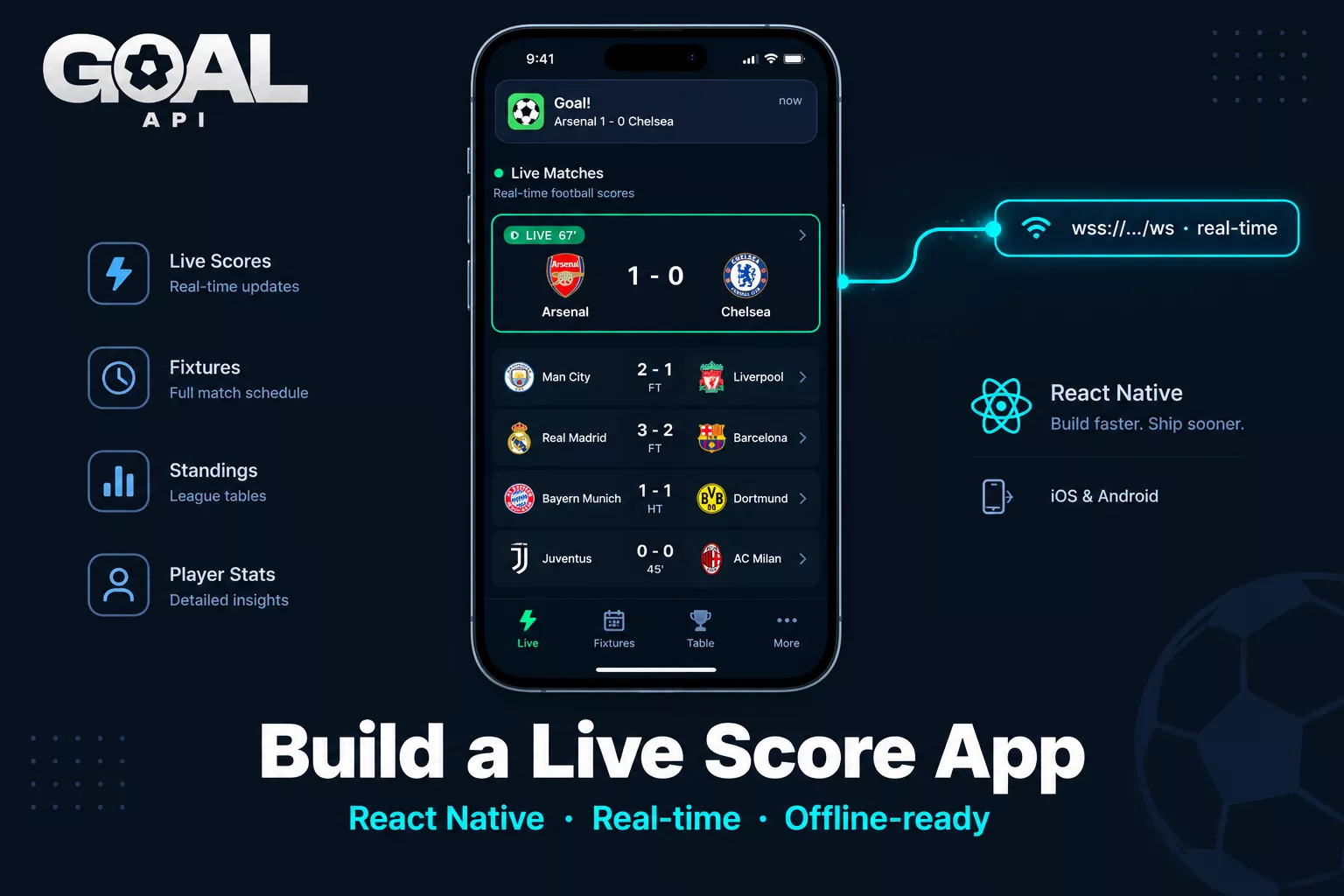
This tutorial builds a React Native live score app with GOAL API using Expo. Live scores that update in place over WebSocket, a match detail screen, offline caching, and fixtures and standings tabs. Every endpoint is from the GOAL API documentation — nothing invented.
Get your free API key (no credit card): goal-api.com/signup
What You're Building
A four-screen app:
Live — matches in play, updating in real time without a manual refresh
Fixtures — upcoming and past matches by date
Standings — league tables
Match detail — events, lineups, and stats for a tapped match
GOAL API supplies the football. React Native and your caching layer handle the mobile-specific concerns: smooth lists, real-time updates, offline resilience.
Step 1: Project Setup (Expo)
npx create-expo-app football-live --template
cd football-live
npx expo install @react-navigation/native @react-navigation/bottom-tabs \
  react-native-screens react-native-safe-area-context \
  @react-native-async-storage/async-storage

## Store the key outside source control (app config / EAS secrets in prod)
## .env  ->  EXPO_PUBLIC_GOAL_API_KEY=your_key
Keep your API key out of the shipped bundle for a production app — proxy requests through a small backend so the key never lives on the device. For a prototype, an env var is fine to start.
Step 2: A Typed API Layer
Wrap every GOAL API call in one module that returns your own types. This keeps screens clean and means swapping or upgrading the data source later touches one file.
// api/football.ts
const BASE = 'https://api.goal-api.com/v1';
const KEY  = process.env.EXPO_PUBLIC_GOAL_API_KEY!;

export type Match = {
  id: string; league: string;
  home: string; away: string;
  homeScore: number; awayScore: number;
  minute: string; status: string;
};

async function get(path: string) {
  const res = await fetch(`${BASE}${path}`, {
    headers: { Authorization: `Bearer ${KEY}` },
  });
  if (!res.ok) throw new Error(`GOAL API ${res.status}`);
  return (await res.json()).data;
}

export async function getLiveScores(): Promise<Match[]> {
  const data = await get('/fixtures/live');
  return data.map((m: any) => ({
    id: m.id, league: m.league.name,
    home: m.homeTeam.name, away: m.awayTeam.name,
    homeScore: Number(m.homeTeamScore), awayScore: Number(m.awayTeamScore),
    minute: m.matchMinute, status: m.matchStatus,
  }));
}
Endpoint: GET /fixtures/live
Step 3: The Live Scores Screen
Render the matches as a FlatList of cards. FlatList recycles rows, so it stays smooth even with a full match day.
// screens/LiveScreen.tsx
import { FlatList, Text, View } from 'react-native';
import { useEffect, useState } from 'react';
import { getLiveScores, Match } from '../api/football';

export default function LiveScreen() {
  const [matches, setMatches] = useState<Match[]>([]);

  useEffect(() => { getLiveScores().then(setMatches); }, []);

  return (
    <FlatList
      data={matches}
      keyExtractor={(m) => String(m.id)}
      renderItem={({ item }) => (
        <View style={{ padding: 16 }}>
          <Text>{item.league} · {item.minute}'</Text>
          <Text style={{ fontWeight: 'bold' }}>
            {item.home} {item.homeScore}-{item.awayScore} {item.away}
          </Text>
        </View>
      )}
    />
  );
}
Step 4: Real-Time Updates Without Refresh
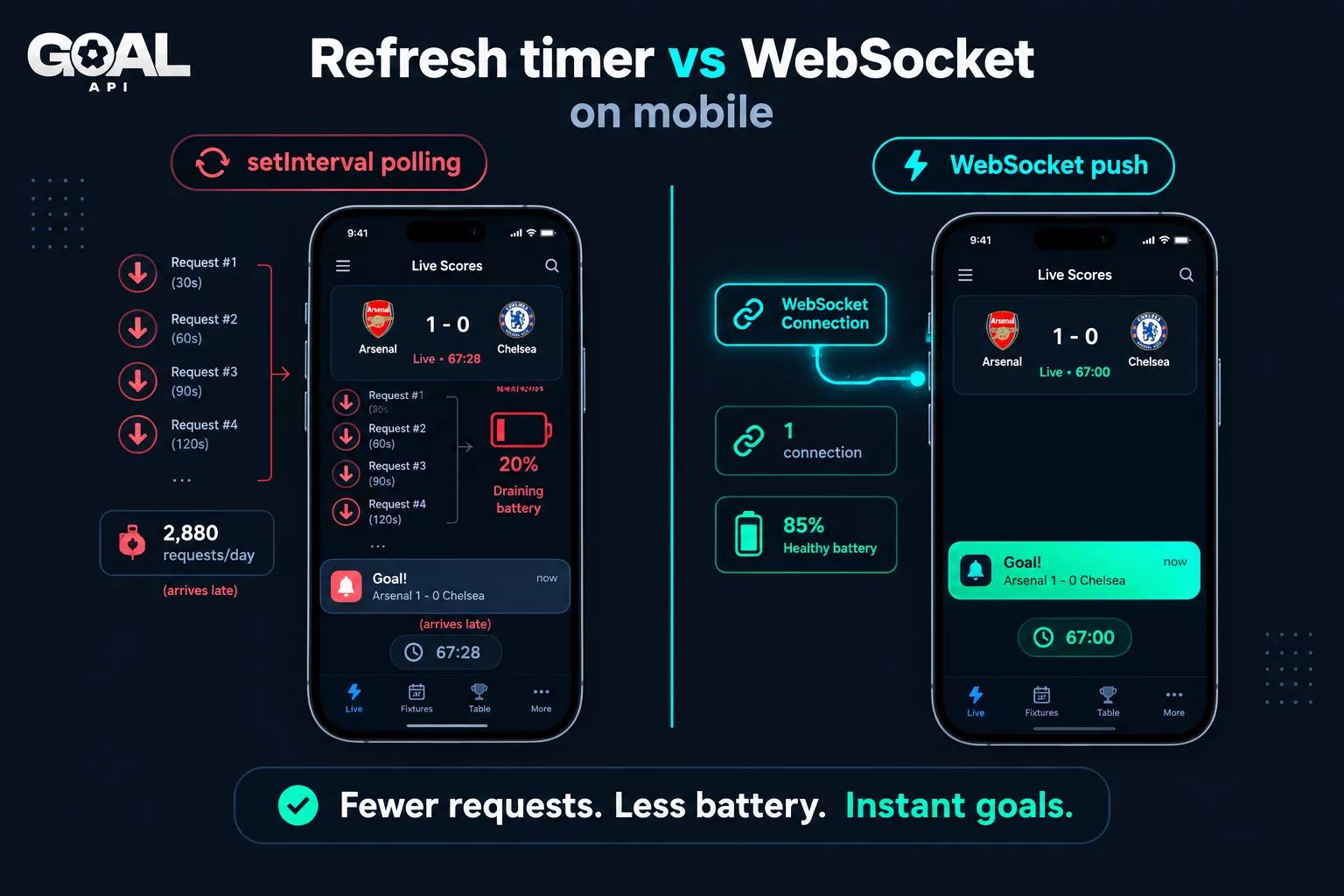
Fetching once on mount gives you a snapshot. For a live app you want the score to change on screen the moment a goal goes in — without the user pulling to refresh.
Why WebSocket beats a refresh timer on mobile
The naive approach is a setInterval that re-fetches every 30 seconds. On mobile that's the wrong tool: it drains battery, wastes requests when nothing's changed, and still lags the actual goal by up to 30 seconds. A WebSocket connection pushes updates only when something happens — fewer requests, less battery, and a sub-second update. The polling vs WebSocket vs webhooks post has the numbers.
// hooks/useLiveUpdates.ts
import { useEffect } from 'react';
import type { Match } from '../api/football';

// getToken() returns a fresh short-lived token from POST /ws/token (ideally via your
// backend). Tokens are single-use, so every reconnect needs a new one.
export function useLiveUpdates(
  getToken: () => Promise<string>,
  matchIds: string[],
  onUpdate: (patch: Partial<Match> & { id: string }) => void,
) {
  useEffect(() => {
    let ws: WebSocket | undefined;
    let closed = false;

    const connect = async () => {
      const token = await getToken();
      ws = new WebSocket(`wss://api.goal-api.com/ws?wsToken=${token}`);

      // The first message must authenticate, with the same token
      ws.onopen = () => ws!.send(JSON.stringify({ type: 'auth', token }));

      ws.onmessage = (ev) => {
        const msg = JSON.parse(ev.data);
        if (msg.type === 'auth_success') {
          for (const matchId of matchIds) {
            ws!.send(JSON.stringify({ type: 'subscribe', resource: 'match', matchId }));
          }
        }
        if (msg.type === 'match_update') {
          const d = msg.data;  // d.id is the fixture id you subscribed with
          onUpdate({
            id: d.id,
            homeScore: Number(d.match_hometeam_score),
            awayScore: Number(d.match_awayteam_score),
            minute: d.clock.minute,
          });
        }
      };

      // Reconnect on drop — mobile networks are flaky
      ws.onclose = () => { if (!closed) setTimeout(connect, 3000); };
    };

    connect();
    return () => { closed = true; ws?.close(); };  // clean up when the screen unmounts
  }, [matchIds.join(',')]);
}
Merge each match_update into your list state so the affected card updates in place. The full connection, auth, and reconnection pattern is in the live scores over WebSocket guide — the same logic applies inside a React Native hook.
Step 5: The Match Detail Screen
When a user taps a card, open a detail screen and fetch that fixture's events, lineups, and stats. This is the same data the build a match page tutorial covers for web — here it's a mobile screen.
export async function getMatchDetail(fixtureId: string) {
  const [goals, cards, lineups, stats] = await Promise.all([
    get(`/fixtures/${fixtureId}/events`),      // goals, with scorer and assist
    get(`/fixtures/${fixtureId}/cards`),
    get(`/fixtures/${fixtureId}/lineups`),     // home/away startingLineups + formations
    get(`/fixtures/${fixtureId}/statistics`),  // stats.match.fullTime: [{ type, home, away }]
  ]);
  return { goals, cards, lineups, stats };
}
Endpoints: GET /fixtures/:id/events | /cards | /lineups | /statistics
Step 6: Offline Caching for Poor Connections
Football gets watched on the move — trains, stadiums, patchy signal. An app that shows a blank screen on a dropped connection feels broken. Cache the last successful response and render it immediately on launch, then refresh in the background.
import AsyncStorage from '@react-native-async-storage/async-storage';

async function cachedLiveScores(): Promise<Match[]> {
  try {
    const fresh = await getLiveScores();
    await AsyncStorage.setItem('live', JSON.stringify(fresh));
    return fresh;
  } catch {
    // Offline or API error -> fall back to last cached data
    const cached = await AsyncStorage.getItem('live');
    return cached ? JSON.parse(cached) : [];
  }
}
Pattern: render cached data instantly so the app never opens blank, then replace it with fresh data (or live WebSocket updates) once the network is back. This is what separates a polished live-score app from a demo.
Step 7: Fixtures & Standings Tabs
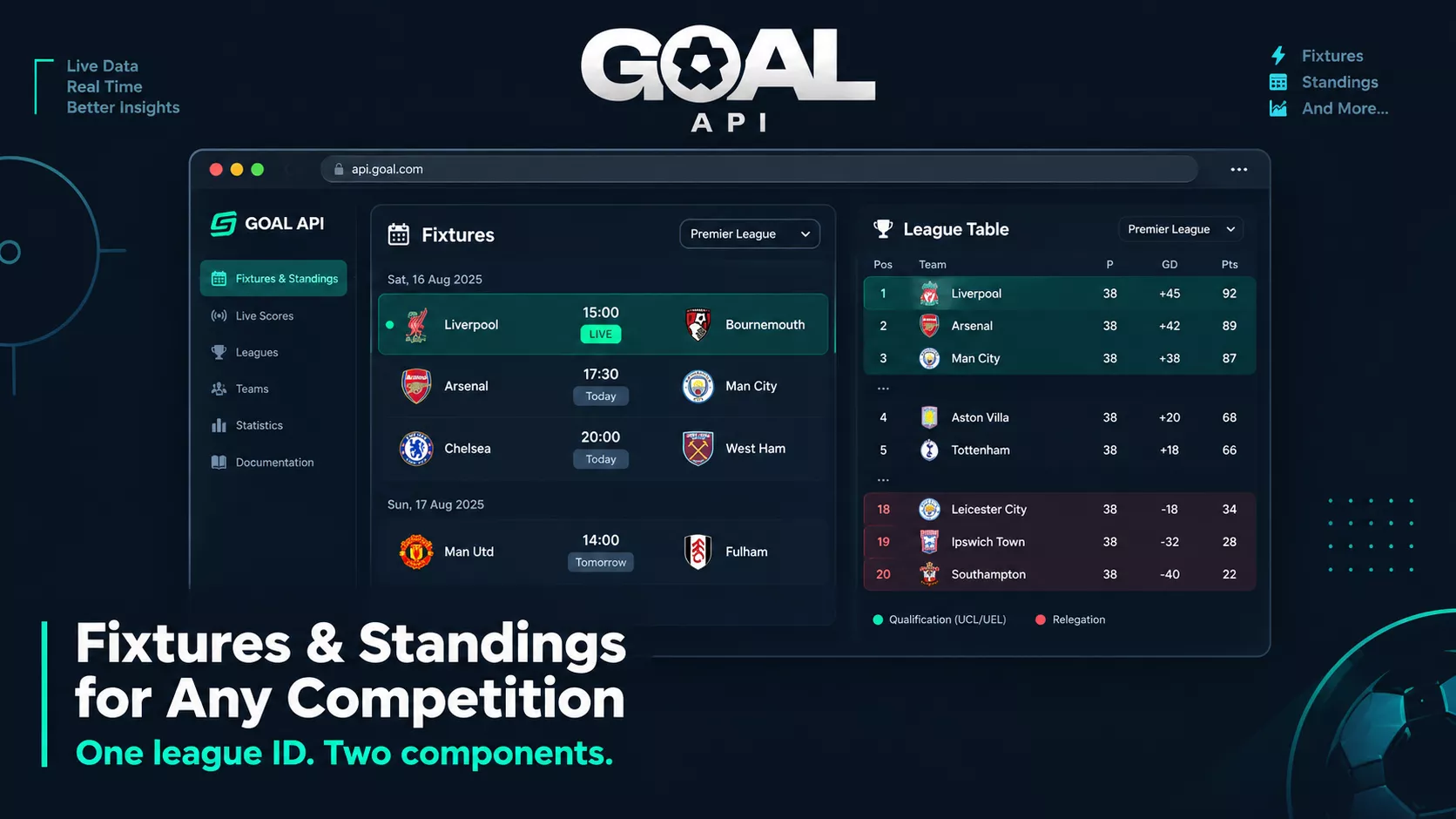
Round out the app with the two reference screens every football app has. The full web version — finding a league, listing fixtures by date, rendering the table — is in the fixtures & standings page tutorial; the API calls are identical on mobile.
export async function getFixtures(date: string, leagueId: string) {  // 'YYYY-MM-DD'
  // A busy date has 1,000+ fixtures, 50 per page: filter by league on the server
  return get(`/fixtures/date/${date}?leagueId=${leagueId}&limit=100`);
}
export async function getStandings(leagueId: string) {
  return get(`/standings/${leagueId}`);
}
Endpoints: GET /fixtures/date/:date?leagueId= | GET /standings/:leagueId | GET /leagues?search=. Which competitions are available is on the coverage page.
Shipping to the App Stores
With Expo, eas build produces iOS and Android binaries. Before you submit:
Move the API key off the device — proxy through a backend so it isn't in the shipped bundle, and watch your rate-limit headers on that backend.
Handle the empty state (no live matches) and the offline state explicitly — reviewers test both.
Respect each store's rules around sports and any betting-adjacent content if you add odds later.
Endpoints You'll Use
| Endpoint | Method | Screen |
|---|---|---|
| /fixtures/live | GET | Live tab |
| /fixtures/date/:date | GET | Fixtures tab |
| /standings/:leagueId | GET | Standings tab |
| /fixtures/:id/events | GET | Match detail |
| /fixtures/:id/cards | GET | Match detail |
| /fixtures/:id/lineups | GET | Match detail |
| /fixtures/:id/statistics | GET | Match detail |
| /leagues?search= | GET | League picker |
| /ws/token | POST | Short-lived WebSocket token |
| wss://api.goal-api.com/ws | WS | Real-time score updates |
What to Build Next
Push notifications — pair a backend WebSocket listener with Expo push so users get a goal alert even when the app is closed.
Favourite teams — let users follow teams and filter the Live tab to their matches.
Match detail polish — add a formation pitch view from the lineups data and a live event timeline.
Widgets — surface the next fixture or a live score in a home-screen widget for your followed team.
Start building free → goal-api.com/signup | No credit card | Every endpoint except odds and predictions