Football Highlights API: Add Match Videos to Your App
Scores and tables are table stakes — highlights are what bring users back. Here's how to add a football highlights feed with the GOAL API videos endpoints.


GOAL API
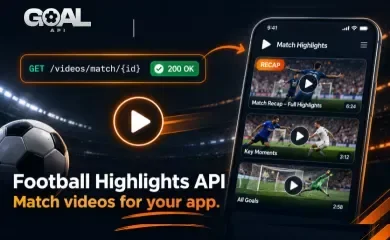
Scores and tables are table stakes; highlights are what keep people in your app after the final whistle. A goal clip, a match recap, a 90-second summary — video is the content users actually come back for, and it's a feature many APIs charge a premium for. This guide shows how to add a football highlights feed with the GOAL API videos documentation, with real endpoints and copy-paste requests.
It's a compact API — five endpoints — and the job is simple: fetch highlight videos globally, for a match, for a league, or for a date, then render them. Two practical notes (coverage and licensing) are covered so you ship something that works and stays within bounds.
What the Videos API Gives You
Match highlights and video content, filterable the way a football app needs:
- A global feed of highlight videos
- Recent videos, newest first
- Videos tied to a specific match
- Videos scoped to a league
- Videos for a given date
Each item is a video object — read the fields the response returns (the link to the clip and its metadata) rather than assuming a fixed shape, and render accordingly. Video availability depends on the competition, so check the coverage page for the leagues you care about.
Quick Start: Your First Highlights Request
The global feed is one call. Every response is JSON with a success flag and a data payload; list endpoints add a pagination object.
curl "https://api.goal-api.com/v1/videos" \
  -H "Authorization: Bearer YOUR_API_KEY"
Send your API key as a Bearer token — full auth details in the documentation. List endpoints paginate, so read the pagination object and page with limit and offset.
Recent Highlights
For a "Latest highlights" row or a homepage carousel, use the recent feed.
curl "https://api.goal-api.com/v1/videos/recent" \
  -H "Authorization: Bearer YOUR_API_KEY"
Endpoint: GET /videos/recent
Videos for a Match
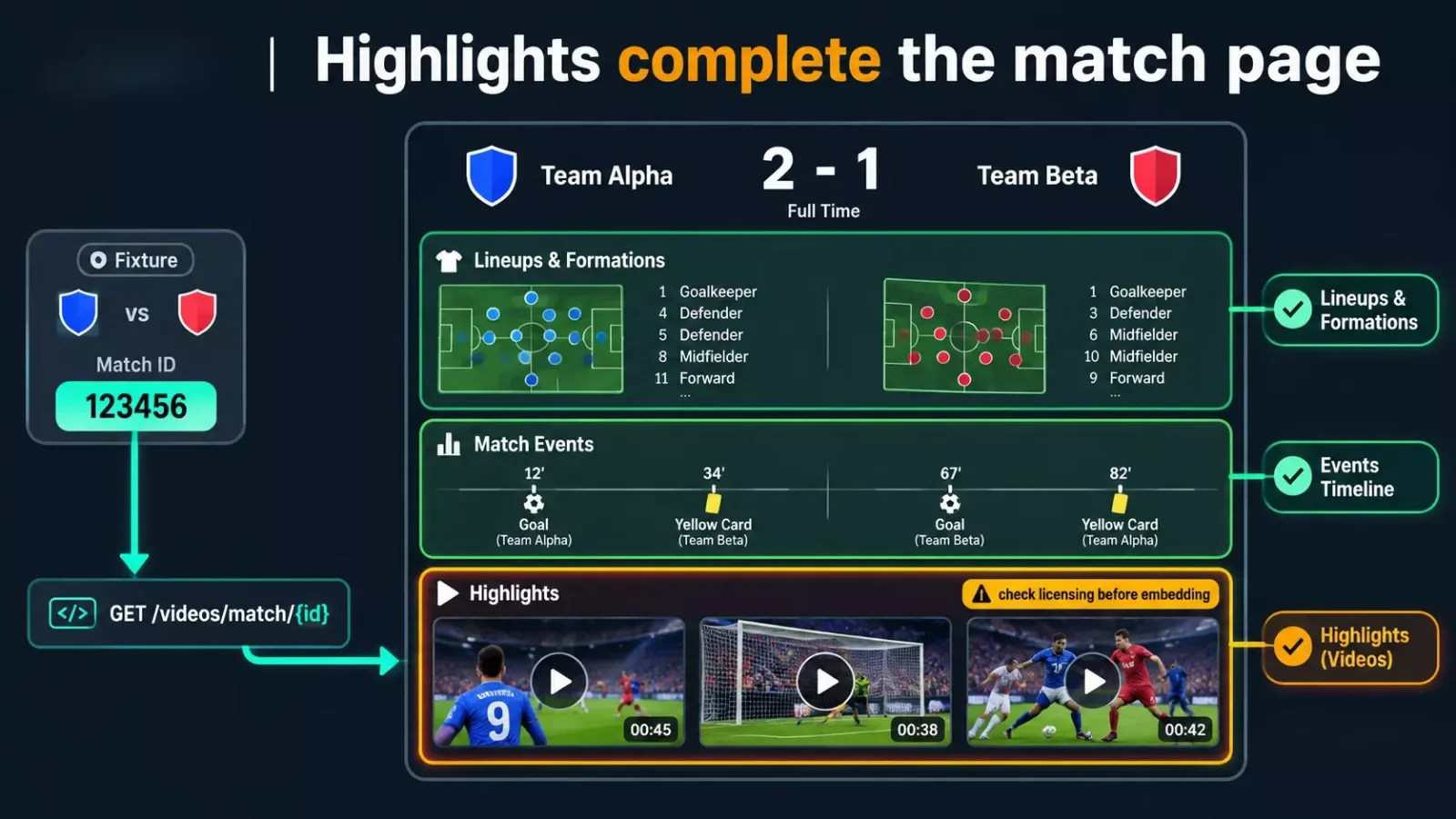
The highest-value use: attach highlights to a fixture. On a match page, show the lineups and events, then the recap and goal clips underneath.
curl "https://api.goal-api.com/v1/videos/match/{matchId}" \
  -H "Authorization: Bearer YOUR_API_KEY"
Endpoint: GET /videos/match/:matchId — the natural companion to a match page build.
Videos by League or Date
Scope the feed to a competition, or pull everything from a given day — useful for a league hub or a "yesterday's highlights" view.
# A competition's highlights
GET /videos/league/{leagueId}

# Everything from one date (YYYY-MM-DD)
GET /videos/date/2026-11-02
Endpoints: GET /videos/league/:leagueId and GET /videos/date/:date. Tie league videos to your fixtures & standings page so each competition section has its own highlights strip.
Showing Highlights in Your App
Rendering is deliberately up to you, because it depends on what the video object contains and where the clip is hosted. The pattern is the same whatever the fields:
- Read the clip link and any metadata (title, thumbnail, timestamp) from each video object in the response.
- Render a thumbnail grid or a carousel; open the clip in your player or link out to its source.
- Lazy-load below the fold — video lists are heavier than score JSON, so don't block first paint on them.
Read the response, don't assume it. Field names and what's present can vary, so build your renderer from the actual object the API returns for your competitions rather than hard-coding a shape.
Coverage, Licensing & Good Practice
Two things to get right before you ship video:
- Coverage varies. Not every competition has highlights — confirm the leagues you need on the coverage page before you build a video feature around them, the same way you'd check for lineups or stats.
- Licensing is your responsibility. Highlight clips are published by rights-holders; where and how you're permitted to embed or display a given clip depends on its source and your jurisdiction. Treat the API as a way to discover video, and make sure your display of it complies with the clip's terms.
- Cache the lists. Highlights don't change second-to-second, so cache the feed and respect your rate-limit headers — video endpoints are easy to over-poll.
Endpoints You'll Use
| Endpoint | Returns |
|---|---|
GET /videos |
Global highlights feed |
GET /videos/recent |
Recent videos, newest first |
GET /videos/match/:matchId |
Videos for one fixture |
GET /videos/league/:leagueId |
Videos for one competition |
GET /videos/date/:date |
Videos for a given date |
Auth on every request: Authorization: Bearer YOUR_API_KEY.
What to Build Next
- A highlights tab — the recent feed as a "Highlights" screen, plus per-match clips on each fixture. In a React Native live score app, it's one more tab beside scores and tables.
- A content pairing — combine highlights with the Football News API so each match has both its story and its clips in one place.
- A clip alert bot — post new highlights for a followed team to a channel; the Discord goal-alert bot guide has the bot scaffolding to reuse.
FAQ
What is a football highlights API? An API that lets you fetch match highlight videos — global, by match, by league, or by date — to show in your app. GOAL API exposes five video endpoints.
Can I get highlights for a specific match? Yes — GET /videos/match/:matchId returns the videos tied to that fixture.
Is it free? The free tier includes the video endpoints, no credit card — subject to which competitions carry video (check the coverage page).
Can I embed the clips anywhere? The API helps you discover video; embedding rights depend on each clip's source and your jurisdiction, so check the terms for commercial use.
Start building free → goal-api.com/signup — no credit card, highlights on the free tier.