Football News API: Add a Live Football News Feed to Your App
Add a live football news feed to your app with the GOAL API news endpoints. Filter by team, league or match, sort by publishedAt, copy-paste code included.


GOAL API
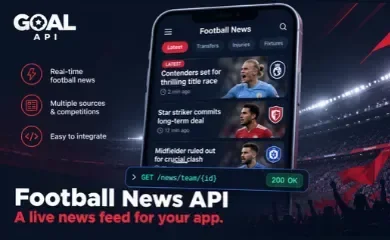
A football app isn't complete without news. Scores tell users what happened; news tells them why it matters — the injury before kickoff, the manager under pressure, the transfer rumour. This guide shows how to add a live football news feed with the GOAL API News documentation, with real endpoints and copy-paste requests.
It's a small API surface — five endpoints — but a couple of behaviours (how to sort, how ids map across) will save you real debugging time, so they're covered here, not glossed over.
Free tier, no credit card. Grab a key and pull your first articles in a couple of minutes: goal-api.com/signup
What the Football News API Gives You
Football news articles, newest first, filterable by competition, team, match, or publication date. Each article carries the context you need to place it: a publishedAt timestamp (UTC), and — where known — a teamId, leagueId, and matchId plus the matching teamName and leagueName.
- A global feed across every competition covered
- Scoped feeds for a team, a league, or a single match
- A single-article lookup by ID
- Articles retained for 30 days
Quick Start: Your First News Request
The global feed is one call. Every response is JSON with a success flag and a data payload; list endpoints add a pagination object.
curl "https://api.goal-api.com/v1/news" \
  -H "Authorization: Bearer YOUR_API_KEY"
Authentication & pagination
Send your API key as a Bearer token — full auth details in the GOAL API documentation. List endpoints paginate, so read the pagination object (total, limit, offset, hasMore) and page with limit and offset.
// JavaScript
async function getNews(path = '/news') {
  const res = await fetch(`https://api.goal-api.com/v1${path}`, {
    headers: { Authorization: `Bearer ${process.env.GOAL_API_KEY}` },
  });
  const json = await res.json();
  return json;  // { success, data, pagination }
}
The Global News Feed
Call GET /news for the newest articles across every competition. This is your homepage feed or a "Latest" tab.
const { data: articles } = await getNews('/news');
for (const a of articles) {
  console.log(a.publishedAt, a.title, a.leagueName ?? '');
}
Endpoint: GET /news — returns articles newest first, paginated.
News for a Team, League or Match
Scoped feeds are where this gets useful for a real app — a club page, a competition hub, or a match-centre.
// A club's news page
const team = await getNews(`/news/team/${teamId}`);// A competition hub (e.g. a league section)
const league = await getNews(`/news/league/${leagueId}`);// A match-centre: news tied to one fixture
const match = await getNews(`/news/match/${matchId}`);Endpoints: GET /news/team/:teamId | GET /news/league/:leagueId | GET /news/match/:matchId
The match feed is the natural companion to a build a match page build: show the lineups and events, then a strip of articles about that fixture underneath.
One Article by ID
For a detail/reader view, fetch a single article by its ID.
curl "https://api.goal-api.com/v1/news/{articleId}" \
  -H "Authorization: Bearer YOUR_API_KEY"
Endpoint: GET /news/:id
Sorting & Freshness: Always Use publishedAt
This is the one gotcha worth getting right. Sort and filter on publishedAt, which is in UTC. Why it matters: a source can backfill an article — it arrives late but belongs where it was originally published. If you order by anything other than publishedAt, a late arrival reshuffles your feed and users see it jump to the top as if it were breaking.
Rule of thumb: order by publishedAt, treat it as UTC, and convert to the user's local time only for display. That keeps a backfilled article in its correct chronological place instead of faking a breaking-news slot.
Linking News to Teams, Leagues & Fixtures
The ids on an article are not a separate namespace — teamId, leagueId, and matchId live in the same id space as the /teams, /leagues, and /fixtures endpoints. So you can take an id straight off an article and fetch the full entity:
// From an article straight to the team and the fixture
const article = (await getNews('/news')).data[0];if (article.teamId) {
const team = await fetch(
`https://api.goal-api.com/v1/teams/${article.teamId}`, { headers });
}
if (article.matchId) {
const fixture = await fetch(
`https://api.goal-api.com/v1/fixtures/${article.matchId}`, { headers });
}That's what lets you turn a headline into a clickable link to the club page, the league table, or the fixtures & standings page view — no id-mapping table of your own.
Handling Nulls & the 30-Day Window
Two practical rules from the docs so your feed degrades gracefully:
- Fields can be null. An article may reference a competition outside the fixture coverage, so a
teamId,leagueId,matchId,teamNameorleagueNamecan be null. Render the article regardless, and only link an entity when its id is present. Which competitions are covered is on the coverage page. - Articles are retained for 30 days. Treat the feed as a rolling window, not an archive — if you need older items, persist them in your own store as they arrive.
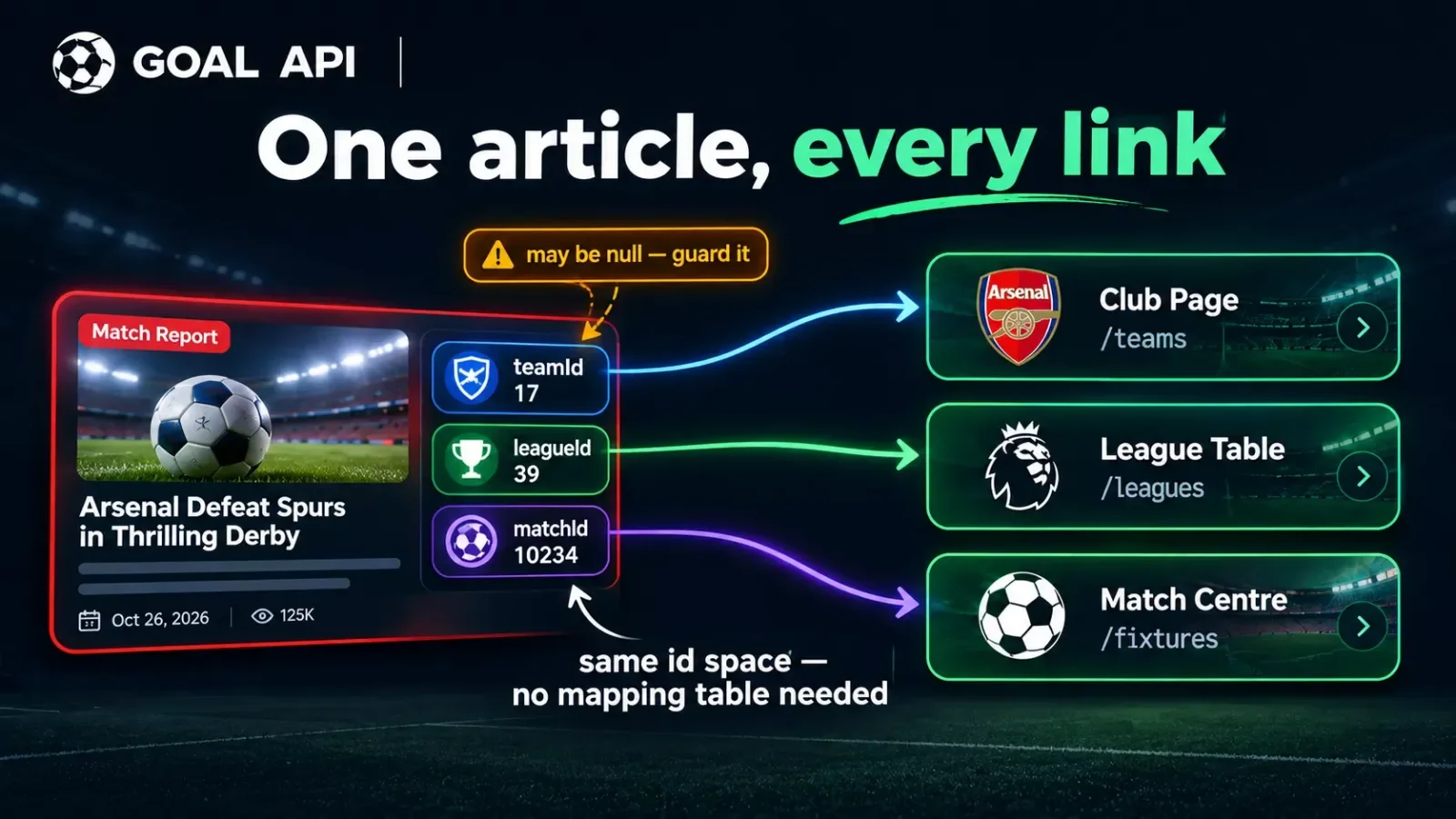
Don't assume every article resolves to a fixture. Guard every id (if (article.matchId) { ... }) before you link it, or you'll render dead links the moment a story is about a competition outside your fixture coverage.
Endpoints You'll Use
| Endpoint | Returns |
|---|---|
GET /news |
Global feed, newest first (paginated) |
GET /news/team/:teamId |
News for one team |
GET /news/league/:leagueId |
News for one competition |
GET /news/match/:matchId |
News tied to one fixture |
GET /news/:id |
A single article |
Auth on every request: Authorization: Bearer YOUR_API_KEY. Full reference in the News documentation.
What to Build Next
A news tab in your app — the global feed as a "Latest" tab, plus a per-team feed on each club page. In a React Native live score app, it's one more screen beside scores and tables.
A match-centre news strip — pair /news/match/:matchId with your lineups and events so each fixture has its own story feed.
A news alert bot — poll a team feed and post new headlines to a channel; the Discord goal-alert bot guide shows the bot scaffolding to reuse.
Size for your feeds — news polling adds request volume; the pricing page and the rate-limit headers help you budget it (cache the feed, it changes slowly).
Start building free → goal-api.com/signup | No credit card | Football news on the free tier